
Verso
Early AccessA word processor for people who just want to write.
Why this exists
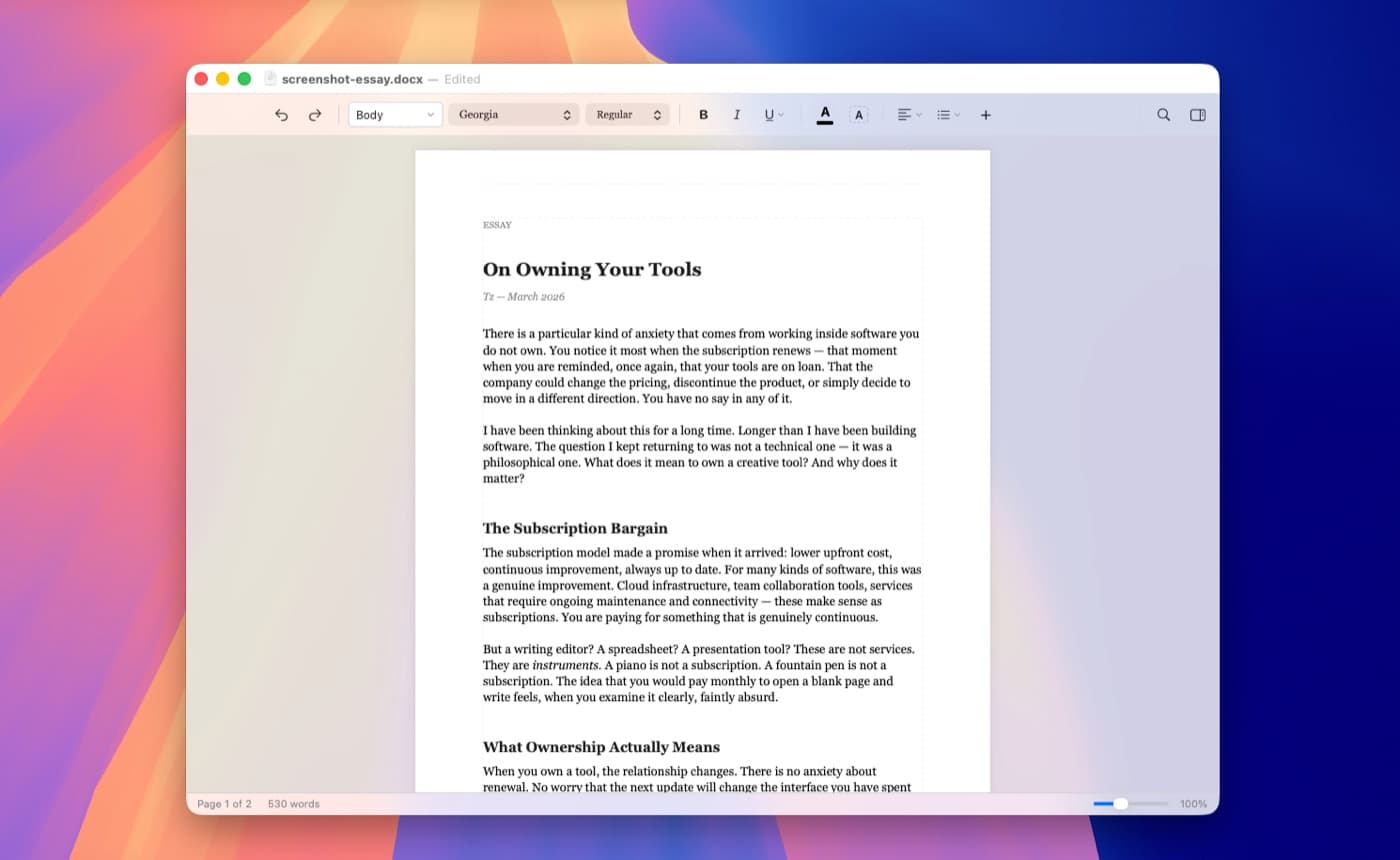
I switched to Mac and discovered that writing on it is a mess. Pages feels dated. LibreOffice buries everything under three menus. Word wants a subscription. I just wanted to open a document and write.
So I built something different. A word processor where the toolbar stays out of your way until you need it. Where formatting is one click, not three. Where you open a .docx file and it just looks right.
Real features, without the bloat. Tables, headers and footers, footnotes, comments, page breaks, and full .docx round-tripping. Everything lives in one clean toolbar that never gets in the way.
It launches instantly. It runs offline. It never phones home. And it costs nothing.
I built the thing I actually wanted.
Turns out I’m not the only one.
Click to preview
Focused writing
Styles and formatting
Word docs, rendered right
Opens Word files
Your colleague sends a .docx. You open it. It looks like a document.
Native Mac app
Built with SwiftUI. Looks right, feels right, launches instantly.
Yours forever
No subscription. No account. No cloud. No telemetry. Nothing.
Mac only. Yours forever.
No subscription. No account. No cloud. Nothing between you and your writing.
You are early. That matters.
Verso is being shaped by the people who use it. If something feels off, or you wish it did something it doesn’t, that’s exactly what we want to hear.
Share your feedbackGet Verso
macOS 14 (Sonoma) or later. Apple Silicon and Intel.
Download Verso 1.1.0Free during early access. 10 MB. No account needed.